The AI Playground: 10 new ways to get hands-on experience at work

🧠 Gemini 3.0 for learning and vibe coding, Claude customer persona research cards, Agentic browsing for job applications, Technical architecture diagrams in Windsurf and more. Knowledge Series...
🔒The Knowledge Series is available for paid subscribers. Get full ongoing access to 90+ technical explainers and AI guides and tutorials to grow your AI and tech knowledge at work. Multiple new guides are added every month.
It’s hard to believe, but the end of 2025 is fast approaching. And one way to describe 2025 is “the year of AI fluency”. This year, tech leaders from Google, Shopify, Zapier and others made it clear that upskilling employees in AI fluency is a top priority. LinkedIn’s COO Dan Shapera uses it as a predictor for future leaders:
“Those that embrace AI, are curious with the technology, and use it in their daily work will be seen as the future leaders at each company”
Anthropic has even published its own series of courses on AI Fluency Frameworks and Foundations which are worth checking out. The courses are excellent as an introduction but they’re still quite broad - and not necessarily tailored to product teams who already have a solid grounding in AI principles.
In this latest AI playground, we’ll take a look at 10 new ways you can use AI at work. Each of these examples is designed with product teams in mind and covers everything from using Gemini Deep Research to craft a go-to-market plan from the contents of your Google Drive through to saving your CFO money by using AI agents to read through contracts and haggle prices with third party vendors.
We’ll also get hands on with Google’s brand new model, Gemini 3.0 - with some real world examples of how you can put this powerful new model to use at work for creating prototypes and more.
Coming up:
Upskill and stay up to date with new concepts and technologies by building yourself bespoke new interactive courses with NotebookLM, Gemini 3.0 and more
Use Perplexity Comet to find and apply to relevant new jobs on LinkedIn in 3 minutes
Create customer persona demographic cards based on your user research
Use Claude to generate reports and make decisions using Google Analytics
Transform your Google Sheets with Gemini’s new powers
Use Claude and Gemini 3.0 to create prototypes that don’t look like AI slop
Create go-to-market plans using Google’s Deep Research Drive connectivity
Get to grips with your technical architecture quickly using AI powered diagrams and Artifacts
Save your CFO money by using AI agents to read procurement contracts and haggle with third party vendors to get better prices
Run an AI-moderated user research session and transform insights into an exec-friendly podcast hosted by an AI version of you

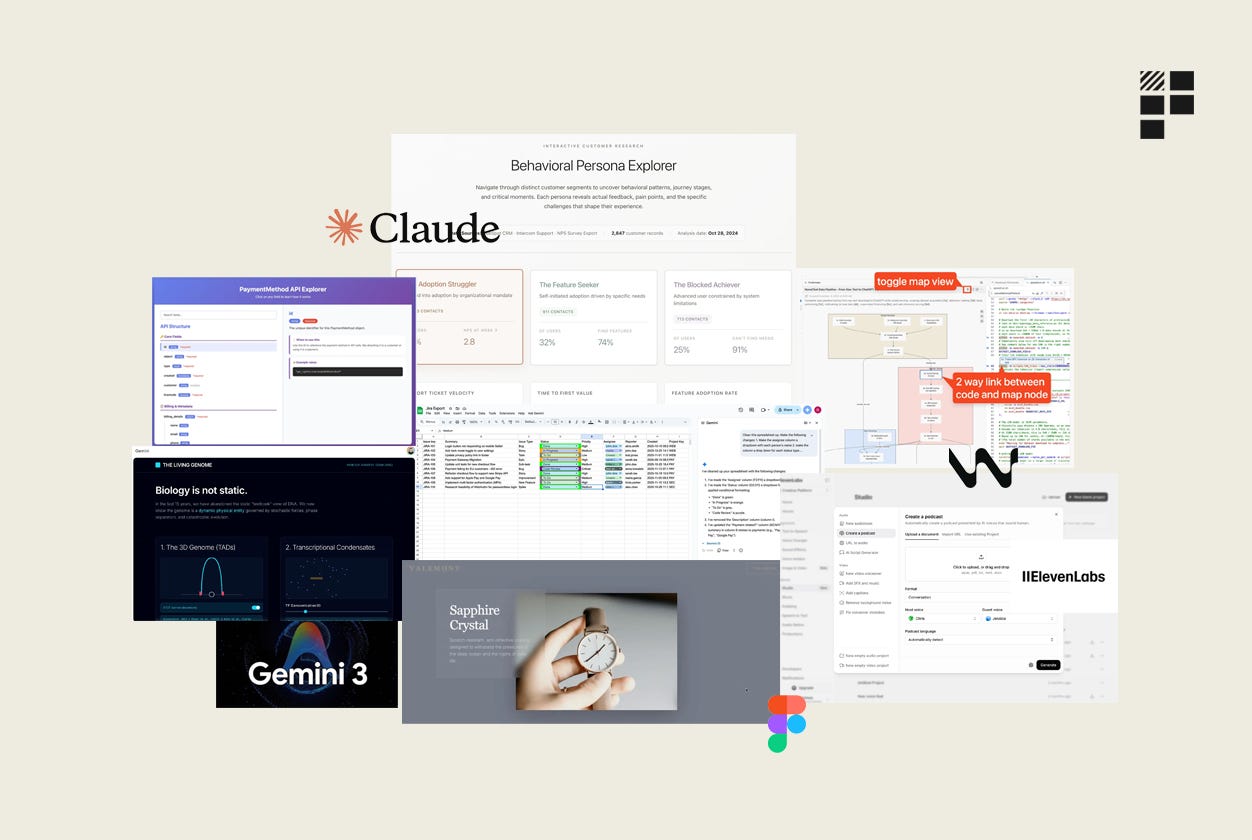
1. Upskill and stay up to date with new concepts and technologies by building yourself bespoke new courses
AI-powered tools are making it easier than ever to teach yourself about new topics - and there are plenty of different approaches to this.
NotebookLM now comes with a series of in-built features designed to help you to learn about new topics including things like flashcards and quizzes and the ability to transform Notebook’s into videos as well as audio.
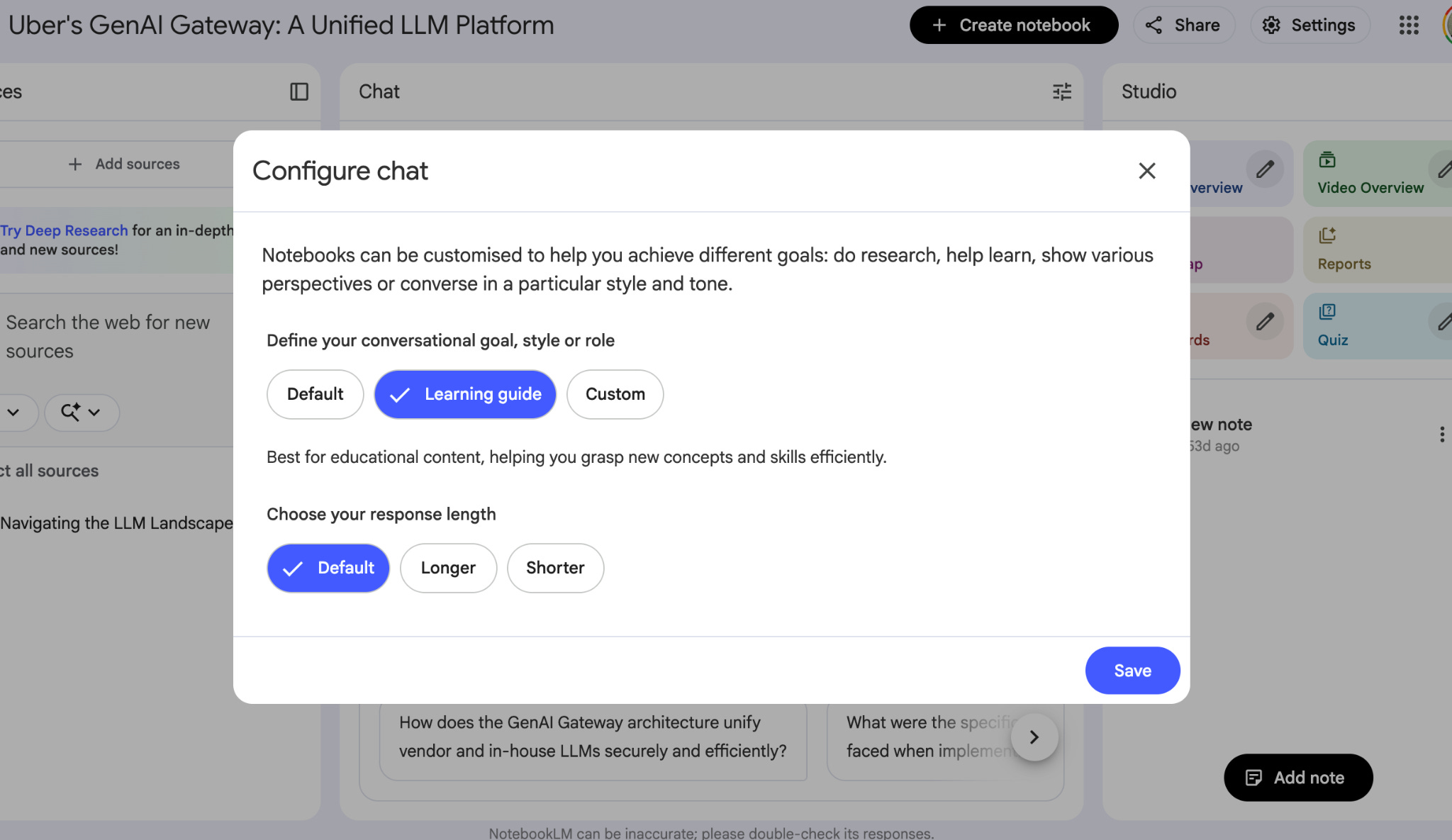
And more recently, NotebookLM released a feature called goals which lets you customize your chat inside NotebookLM to adopt a specific goal or role. If you want to focus on learning, NotebookLM comes with a new “Learning Guide” configuration that will use a conversational style that’s specifically designed to help users grasp new concepts and skills by helping you to break down problems step by step and build a deeper understanding of a subject.
Building your own learning materials with Oboe
A new startup called Oboe, founded by the creators of Anchor (now part of Spotify), takes some of NotebookLM’s features and principles and builds upon them further to help users build their own learnings materials.
If you’re interested in learning about a specific topic, all you do in Oboe is tell it the topic you’re interested in and it will generate a custom-built course in a few minutes. The course includes a mix of different materials including: a podcast episode, lecture recording, deep dive articles, key takeaways and FAQs, multiple choice quizzes, true or false quizzes, flash cards and more.
Here’s an example of some of the course materials it created for learning about API endpoints:
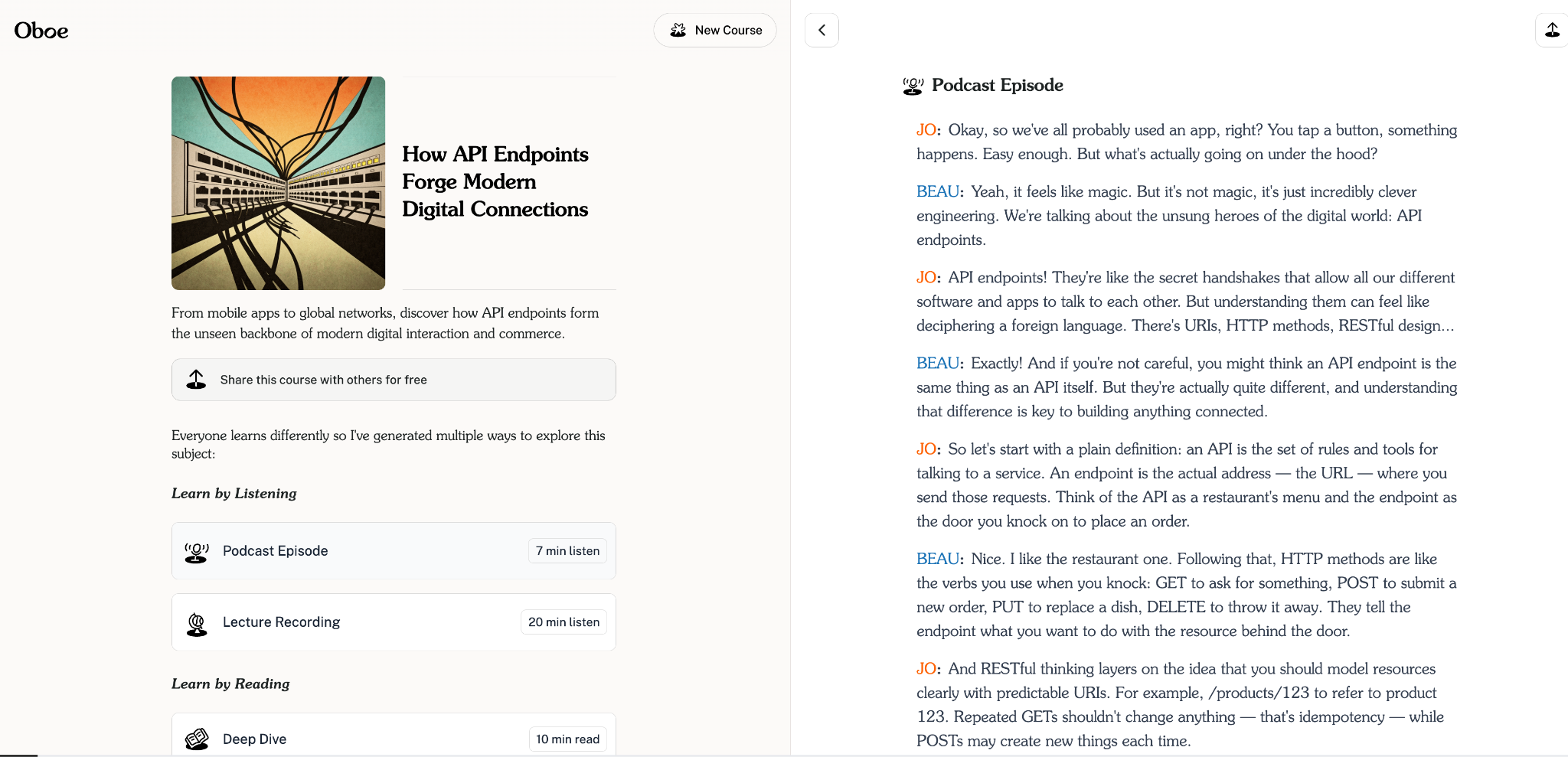
As you can see, it includes each of the different learning formats and is a pretty impressive way to generate educational content quickly.
How to use Gemini 3.0’s new abilities to teach yourself anything
This week, Google announced its brand new model, Gemini 3.0, and one of the most impressive aspects of Gemini 3.0 that has people talking is its front end abilities.
We’ll take a closer look at its vibe coding skills later, but from an educational perspective, Gemini 3.0 is a powerful addition to your learning stack since it can take context like research papers and transform some of the most difficult elements to grasp into interactive, clickable components. In this example, you can see how Gemini 3.0 in Google’s AI Mode is able to take a research paper on RNA and create interactive components directly in web search results.
Example - Stripe’s Patrick Collison uses Gemini to visualize scientific discoveries.
Stripe’s CEO Patrick Collison shared an example of his own this week where he asked Gemini 3.0 to build an interactive web page that summarizes 10 important scientific breakthroughs in genetics in the past 15 years. The result is a high quality, interactive web app that takes each of the complex discoveries and transforms them into intuitive components that brings each of them to life.
So far, Gemini 3.0 looks to be an impressive improvement on previous Google models - and a super helpful addition to folks looking to build mini apps and components that help you to learn about new concepts.
Example - Infographics with Nano Banana Pro
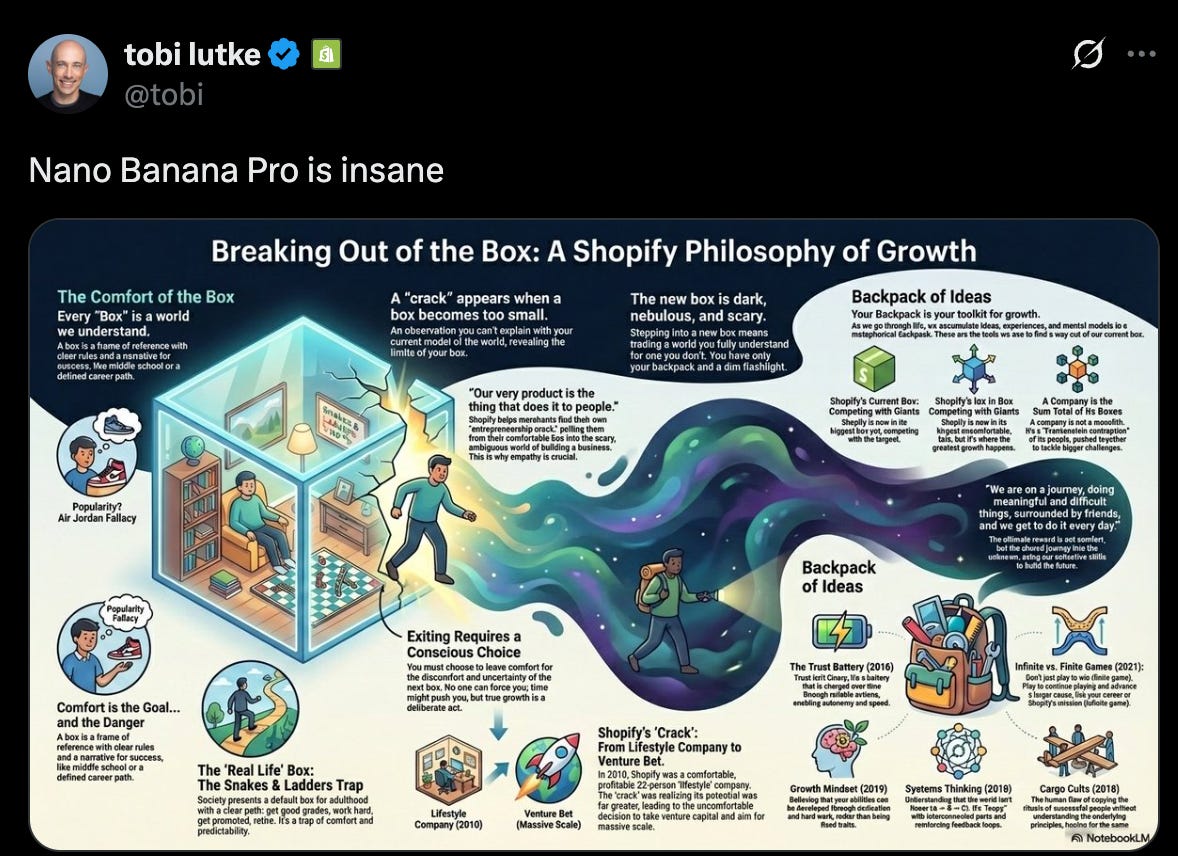
Nano Banana Pro is also a powerful addition to your learning stack. In this example, Shopify’s CEO shows how you can transform talks on YouTube into infographics by using the transcripts and asking Nano Banana Pro to turn it into an infographic. If there are specific topics of interest that you want to get visual summaries of, this is a powerful way to do it.
2. Use Perplexity to find and apply to relevant new jobs on LinkedIn in 3 minutes
Last week, Perplexity confirmed that its agentic browsing Assistant in Comet is, according to their own benchmarks at least, “23% better than its predecessor” at task completion. And one of the tasks that it says the Assistant is better at is finding relevant jobs on LinkedIn.
When you’re using an AI browser with agentic capabilities like this, it’s always best to start your prompt by explicitly telling the browser to take control so that it clearly knows that you’re asking for it to perform an action on your behalf.
Using this prompt, you can ask Comet to find relevant jobs and make a list of the relevant ones:
Take control of my browser. Find jobs on LinkedIn for creative software companies that are looking for product managersHere’s a video of it in action (sped up from its original timeframe which took around 3 minutes):
Once it’s finished, it creates a list of each of the jobs it finds and includes this in the Assistant in Comet. To take things a step further, you could then ask Perplexity to log these jobs into a Google Sheet along with a link to apply for each one.
3. Create customer persona demographic cards based on your user research
In this example, we’ll use Claude to create an Artifact that brings your product’s different user segments to life by creating demographics persona cards based on your user research. You can use this Artifact to share insights with stakeholders or use as a reference point when you’re building out new features.
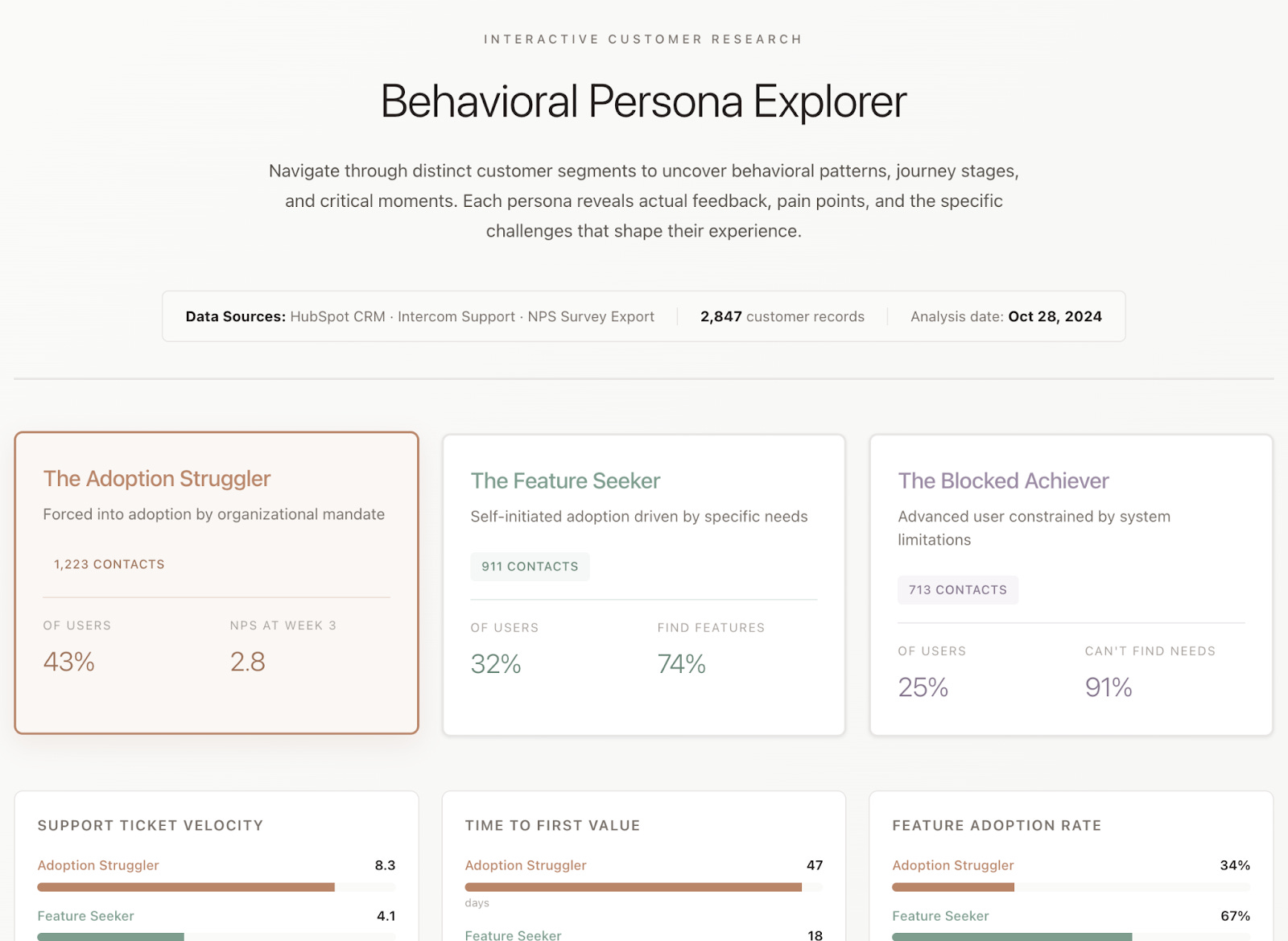
Link to Artifact: https://claude.ai/public/artifacts/9135973a-be0d-4a9a-815d-1689c217b38a
You can start by prompting Claude, explaining that you’re uploading customer feedback from several different sources and then ask it to create an Artifact based on these sources: